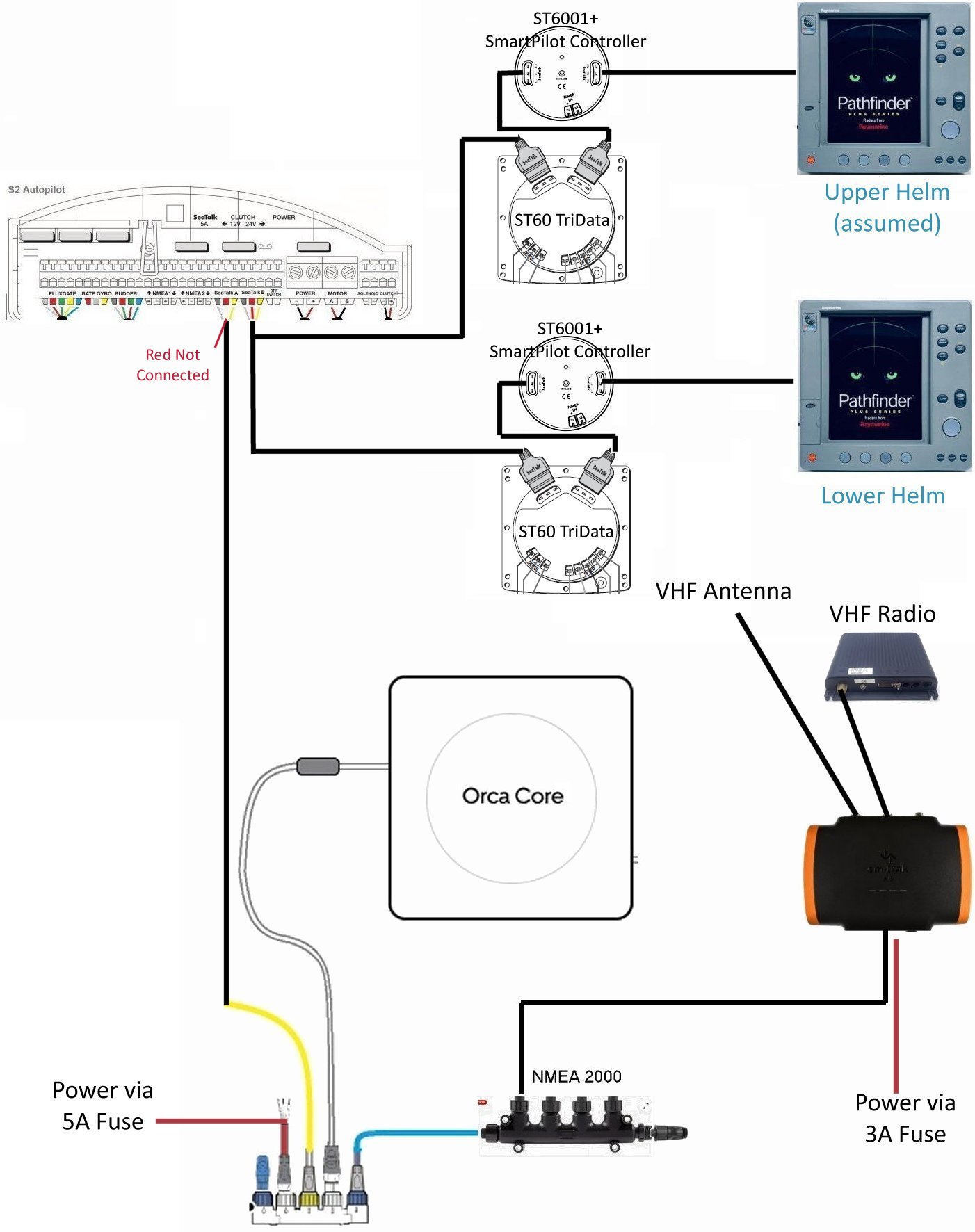
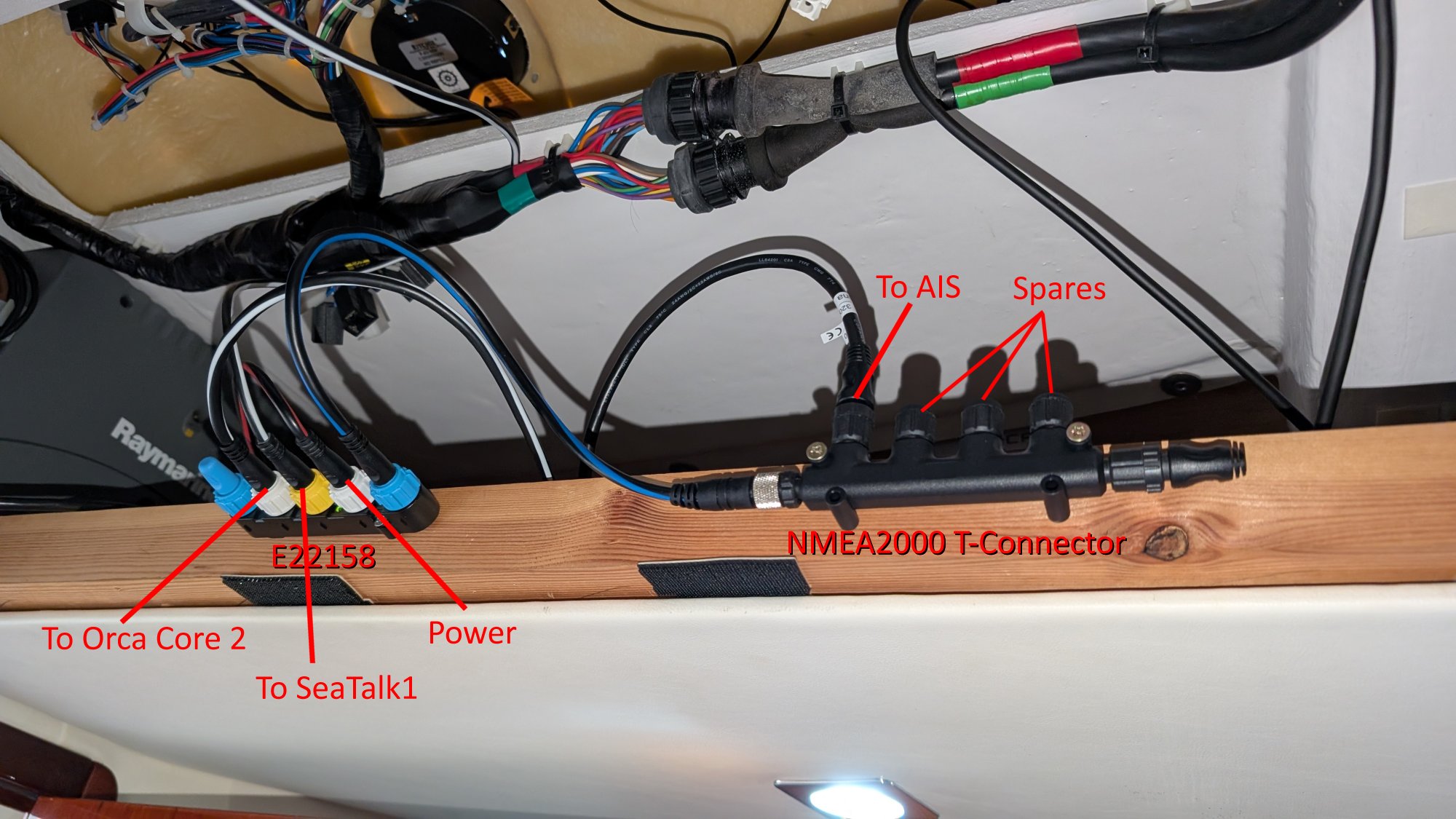
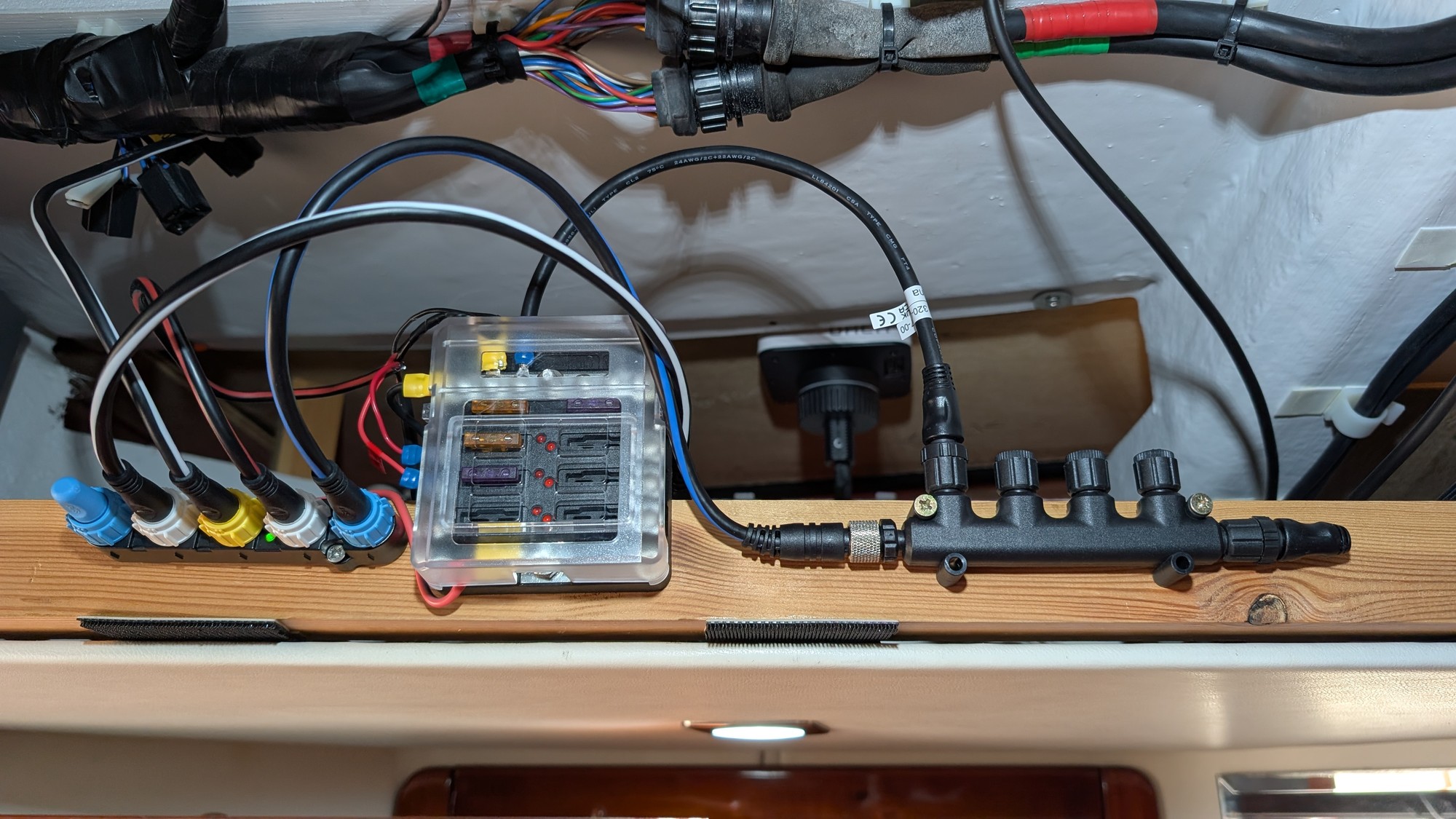
| Part 5: Reflections and Opinion Having connected my Orca Core 2 to the Raymarine SeaTalkNG adapter, I decided to move away from the SeaTalkNG network onto the more universal NMEA 2000 for any future additions. Creating the NMEA 2000 network required the following parts: £36.98 Regatta Processing NMEA 2000 (N2k) 4-Port MultiPort (Tee) T-Connector £39 Raymarine A80675 SeaTalkNG Backbone (F) to DeviceNet (F) 400mm Adapter Cable £9 NMEA 2000 Terminator Male - 0101108000 £3.60 3xActisense Protective Screw covers for NMEA 2000 Female Micro-Connectors A2K-SCREWCAP-F £88.58 Total (for NMEA 2000 Network) I selected an EM-Trak B953 AIS Unit with integrated antenna splitter (£739). It comes with a short Antenna patch cable to connect back to the existing Marine VHF system unit, but surprisingly doesn't come with an NMEA spur cable - possibly due the fact that it does include cabling for NMEA 0183. I selected a 2m Garmin drop cable (£21) to attach the AIS to my NMEA 2000 T-Connector. £760 Total (for AIS Unit) The first thing I needed to do with the AIS unit was to hook it up to my PC using the supplied USB cable, and set it up using the proAIS2 software that can be downloaded from the EM-Trak website. The B953 doesn't require any extra power to do this. The proAIS2 software allows you to connect to the AIS and set the boat dimensions, name, and MMSI number. You have to ensure that you don't make a mistake with the MMSI number, so double-check it before you write the data. Once input, the MMSI number can't be changed without assistance from the manufacturer or dealer. Connecting up was very simple: - Remove antenna from Marine VHF System Unit and plug into AIS "VHF Antenna" socket.
- Put one end of Antenna patch cable into the Marine VHF System Unit and the other into the "VHF Radio" socket on the AIS.
- Connect the NMEA 2000 drop cable between the NMEA T-Connector and the AIS NMEA 2000 socket.
- Connect 12V power to the AIS
I took power from the autopilot input power terminals, again via a separate 3A fuse. To keep things fairly neat, I took one cable from the input terminals into a breakout box and then connected the E22158 power and AIS power into it via their individual fuses. The Final layout (updated 17/01/2026) looks like this: The E22158 adapter and the NMEA2000 T-Connector were then screwed to the wooden ceiling rafter for easy future access: When the system was powered on, my boat quickly became visible to others, though it took a little while for MarineTraffic to register the new entry in their database. The Orca system can receive vessel positions from MarineTraffic.com when it is connected to the internet. However, if data for a vessel is also available from your own AIS, this then overrides the internet data; you never see a duplicate. Tapping a vessel on the screen brings up all available data, and also indicates whether the data is from the internet, or "Local Receiver", ie. your own AIS. If the Core is connected to the internet, you can also see the MarineTraffic data for it, including vessel photo if available. As a final step, once I was sure everything was working, I improved the power arrangement to the E22158 and AIS unit by adding a permanent fuse box between the autopilot computer 12V input terminals and my new devices: Part 4 describes my initial use of the Orca system. |  Kevin Millican