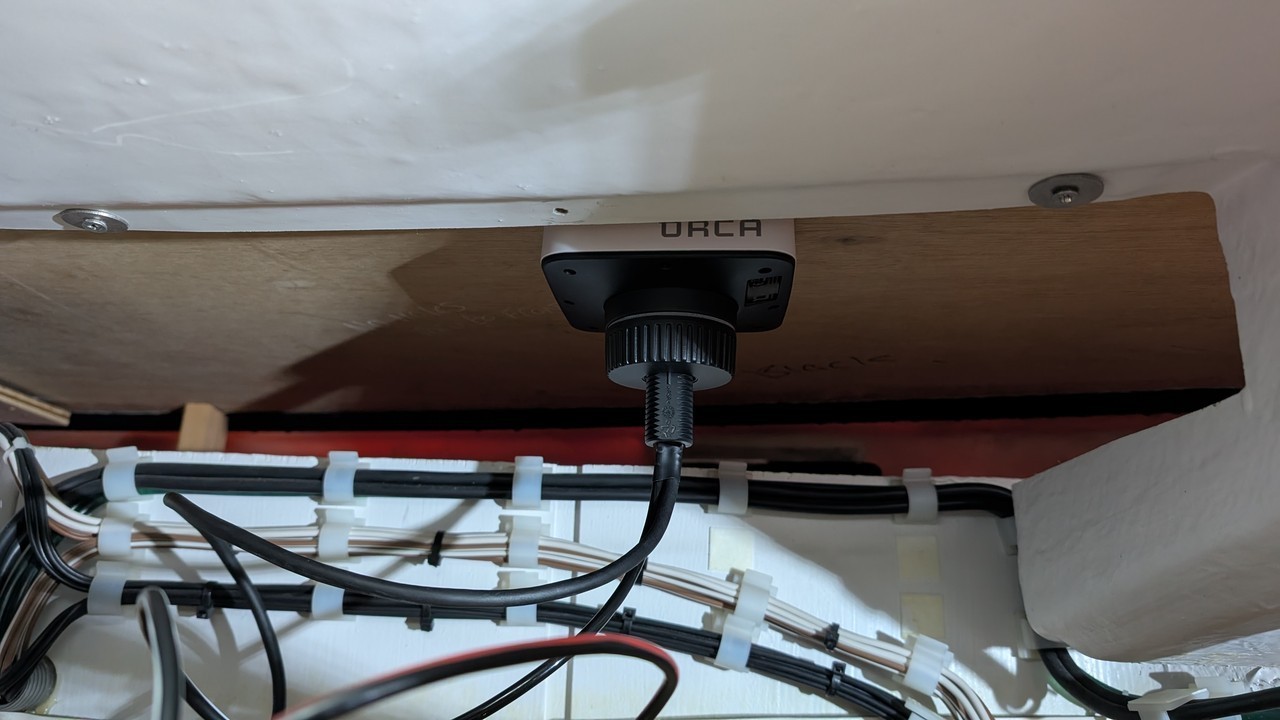
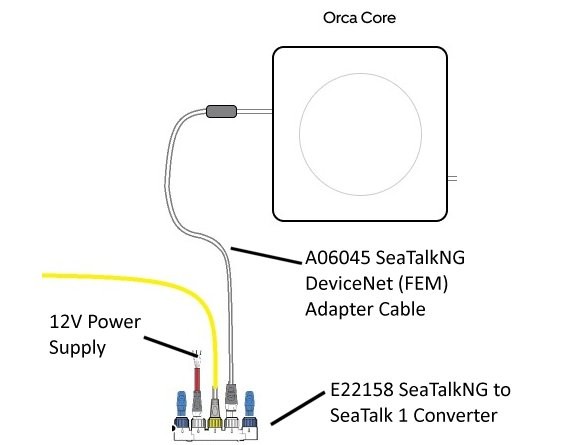
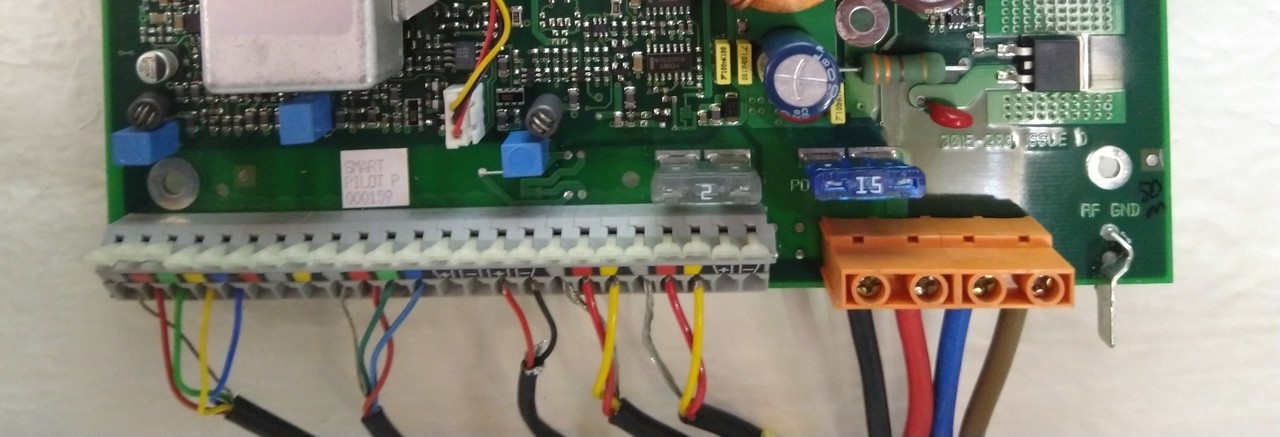
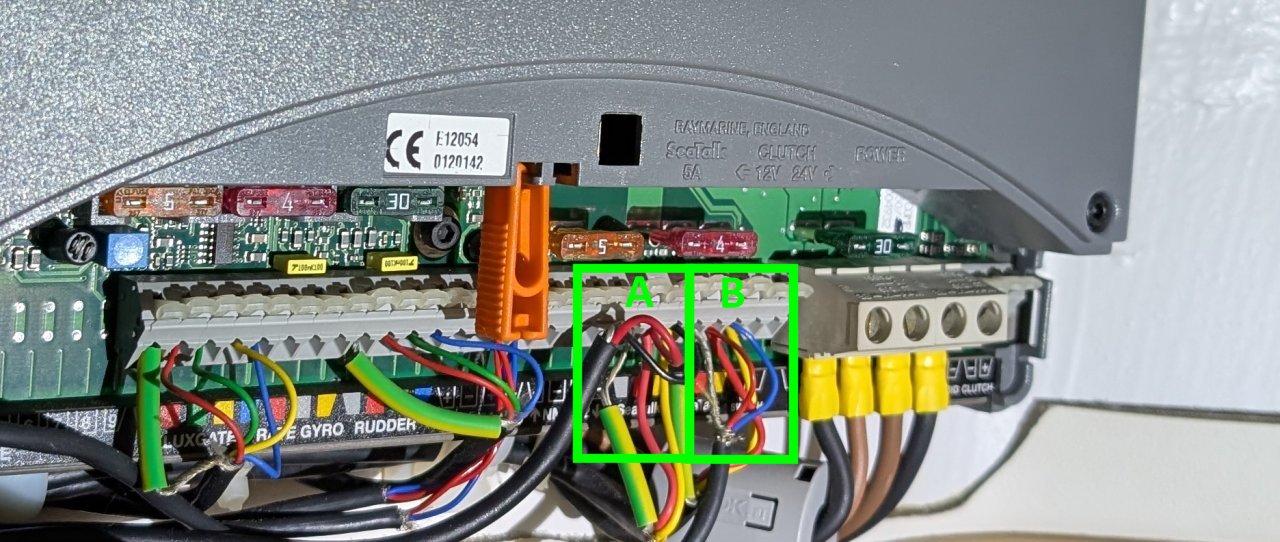
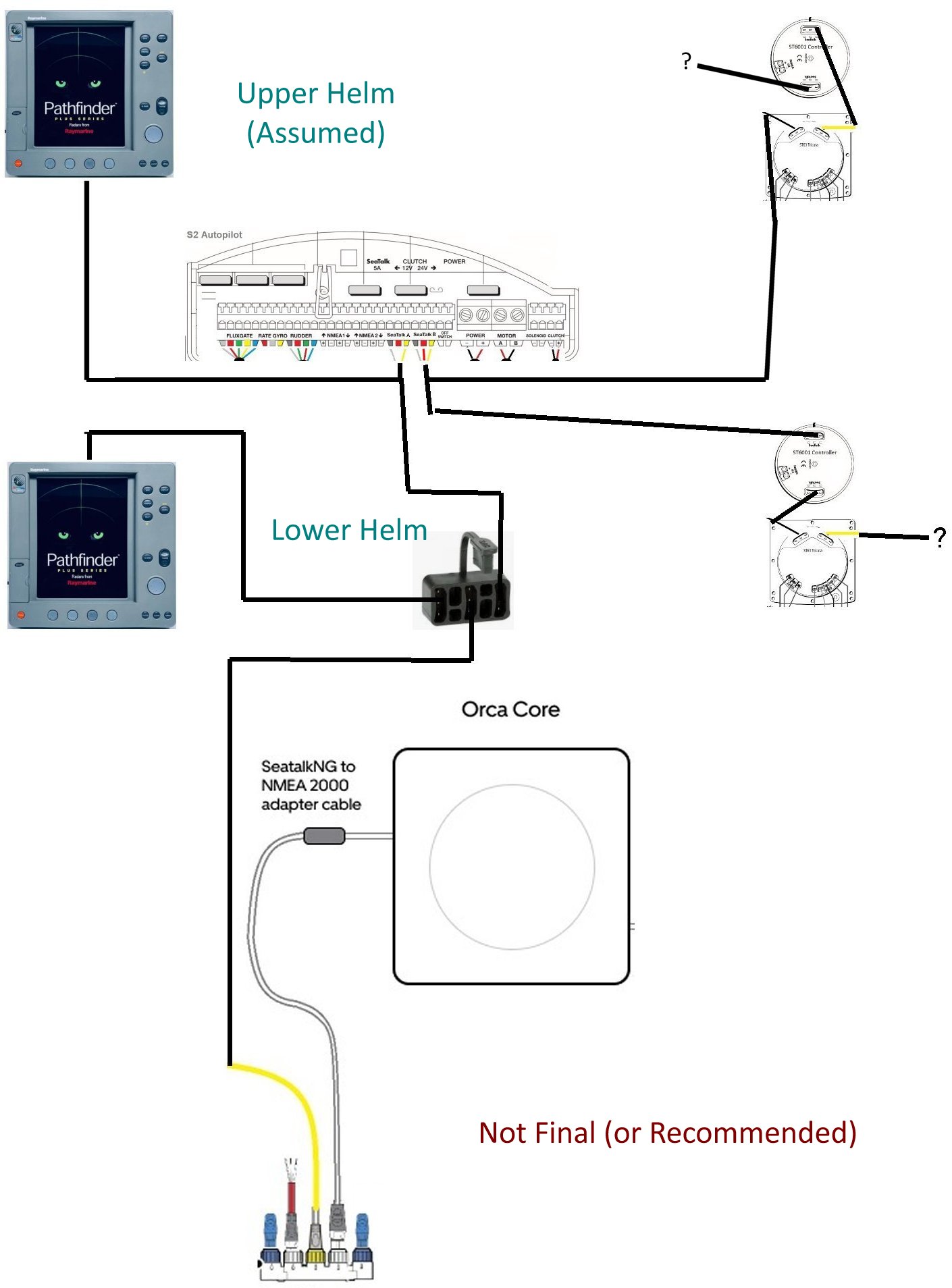
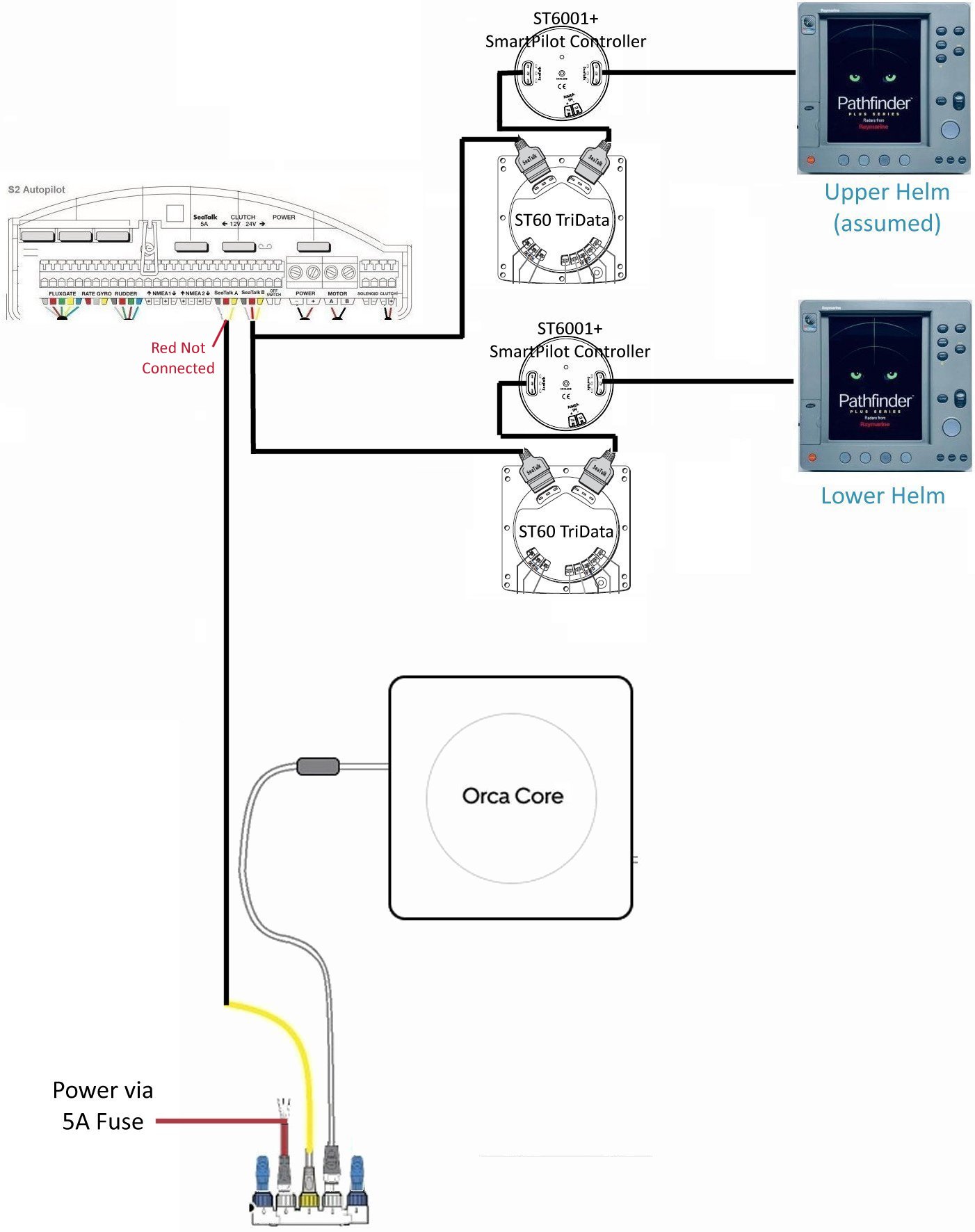
| Part 5: Reflections and Opinion Shopping List (Feb 2025 UK prices incl. VAT): £499 Orca Core 2 £899 Orca Display 2 £259 Orca Charging Top Mount £259 Orca Charging Surface Mount £119 Raymarine E22158 SeaTalkNG to SeaTalk 1 Converter kit. £42 Raymarine A06045 SeaTalkNG DeviceNet (FEM) Adapter Cable £47 Raymarine D244 3-Way SeaTalk Junction Box £39 Raymarine D230 400mm SeaTalk Cable £2163 Total incl. VAT It should be noted that the last 4 items would also be required if updating to new Raymarine MFDs, plus additional SeaTalkNG cabling and junctions. That's £247 just to connect an NMEA 2000 device to my old SeaTalk system, so it's no surprise how keen I am to leave this overpriced legacy stuff behind. Planning First and most important part of the installation is to plan where the Orca Core 2 will be mounted. This is even more important when it's being installed on a dual helm boat. Ideally, it should be mounted high up with a clear view of the sky. However, modern GPS systems are extremely good at obtaining a fix, so the lower helm dashboard is also possible. In my case, the core really had to be mounted at the lower helm because there will be additions that need to connect to it via NMEA 2000. Whilst it could still perform its functions connected from the upper helm, it would mean routing an NMEA 2000 backbone cable up there. This is quite a time-consuming and costly exercise on a Fairline Phantom 46 as the cable would need to be routed behind the sofa and up the rear pillar, and then forward to the upper helm. To give you an idea of the costs involved, the previous owner had a WiFi repeater installed at the back of the saloon and paid nearly £700 for the labour! So the first thing I did was to connect up the core to power alone under the lower helm and check it could get a good fix. Interestingly, the first thing the Display 2 wanted to do was to upgrade the Core 2 firmware, so it was fortunate I had already connected the Display 2 to WiFi. Once the upgrade was performed, it obtained a fix in under a minute and the system reported a good signal at 94%. Installation As I dislike drilling unnecessary holes, I decided to try the double-sided adhesive patch supplied. This appears to grip extremely well. It's a good idea to fit it with the Orca name facing the rear of the boat, because this seems to be the default orientation. The Core 2 should be placed well away from the boat compass and other equipment. This isn't that easy, so I just aimed to keep it equidistant from wiring and slightly further away from equipment. I then connected it to a A06045 SeaTalkNG DeviceNet (FEM) Adapter Cable and then this was connected to the Raymarine E22158 SeaTalkNG to SeaTalk 1 Converter. 12V power was connected to the autopilot power in terminals, via a 5A fuse. The yellow lead is the SeaTalk 1 cable for connecting to the legacy systems of the boat. When you look at the example Orca diagram, it alls looks very easy; you just connect the yellow SeaTalk 1 cable to a spare connection on the depth/speed gauge, and make sure that the red power wire on the Autopilot SeaTalk connection is disconnected (because those instruments will now receive power from the SeaTalkNG adapter). On my previous boat, this would probably have been the case because it just had two SeaTalk cables connected into the SmartPilot S1: (the bare-red-yellow connections are the two SeaTalk ones) I think the setup on my F33 was that one cable connected to the lower instruments and the other one to the upper. However, if you were connecting to this autopilot, I would have both sets of old cables going into one SeaTalk port, and attach the SeaTalk1-SeaTalkNG cable into the other port. However, on this boat, there were two sets of cables on each SeaTalk1 channel on my Raymarine 150 S2 Autopilot: After a bit of experimentation, I found that the left hand SeaTalk A port was connected to the old Raymarine Radar/Chart Plotters, and the SeaTalk B port was connected to the ST6001 autopilot controls and Tri-Data displays. SeaTalk A appeared to have a spare lead connected to as well (with black wire), whilst SeaTalk B also had a connection to the original GPS (with blue wire). It was about this time that I discovered that none of my instruments had a spare SeaTalk 1 socket. So it was back down to KM Electronics to get a D244 3-way junction and a D230 400mm SeaTalk Cable. Initially, I tried connecting the SeaTalk 1 to SeaTalkNG adapter to one of the B port devices. Interestingly, this resulted in the old Raymarine RL80C units on port A receiving the Orca 2 position data. However, this arrangement resulted in the ST6001 autopilot controls showing "STLK FAIL" errors. I changed the arrangement to connect into the SeaTalk A port instead. This solved the issue with the autopilot controls, but the old Raymarine plotters did not receive the GPS position data from the new equipment. As I only intended to use these old units for radar, and as they were still getting position data (eventually) from the old Raymarine GPS, I could live with this, but it's something I felt I needed to investigate further. Here is the initial setup (not recommended): I was also unsure where the extra connections, marked with a "?", actually went. Nevertheless, it all worked apart from the RL80Cs relying on the old RayStar 120 GPS. Update 5th August 2025 It seems that my initial observation that the old RL80C units don't like talking directly to the Core 2 via the SeaTalkNG adapter was correct. I obtained a longer SeaTalk1 connection cable and used this to connect the RL80C directly to the extra connections on my instruments. When this is done, the RL80C initially appeared to receive position data from the Core2 correctly, but this was short-lived, because once the RL80C starts to get satellite data from the old RayStar GPS, it gives this priority. Update 17th January 2026 Eventually, I discovered that to get reliable sharing of the Orca GPS, it was best to connect the Core 2 directly to the AutoPilot rather than using the SeaTalk1 plug to connect it to any other SeaTalk1 devices. It was also necessary to disconnect the old RayStar 120 GPS from the autopilot. This is the final setup:
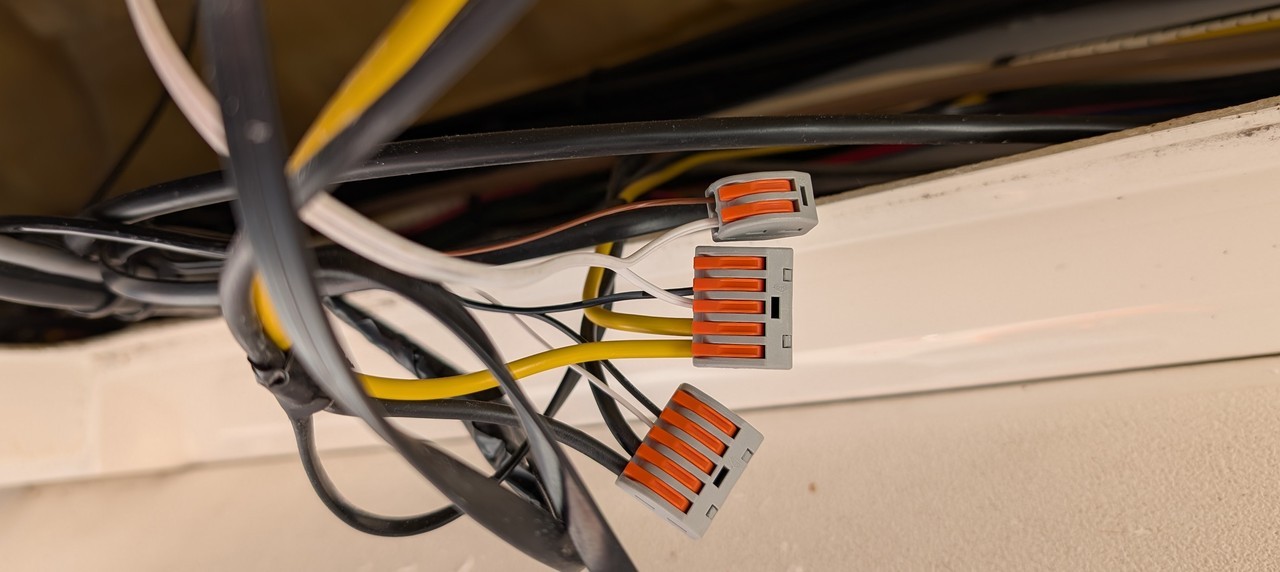
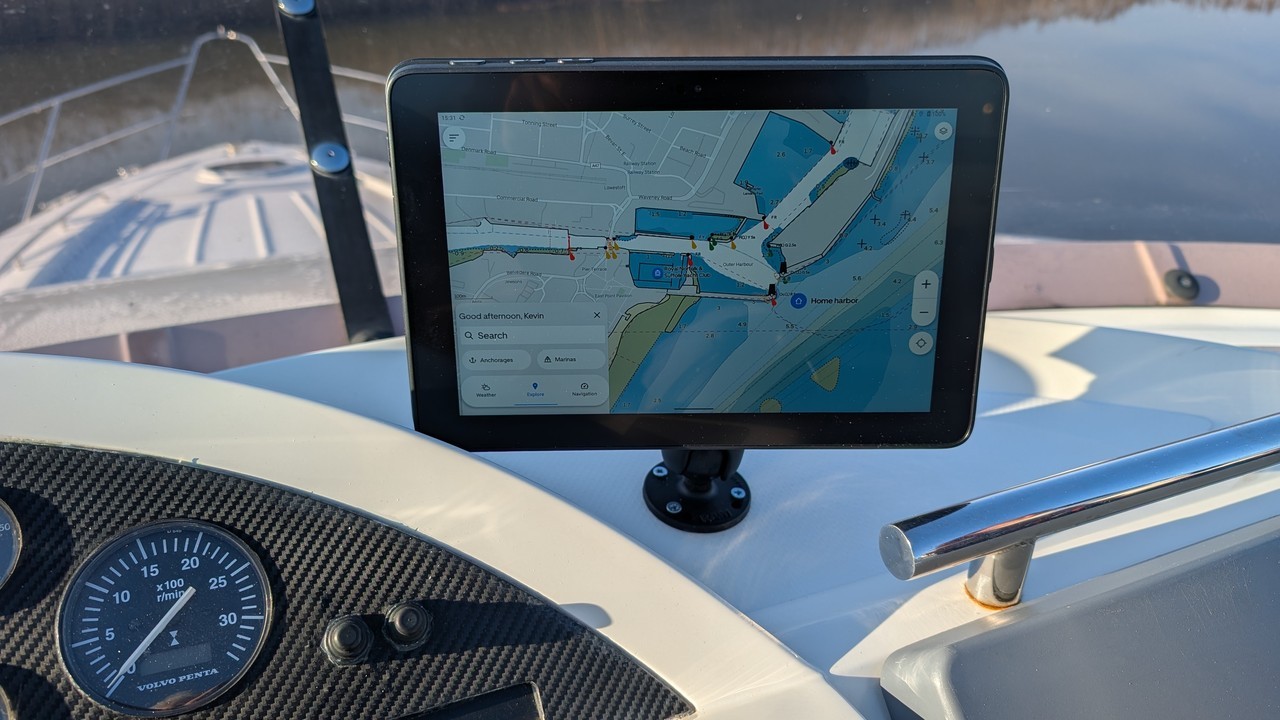
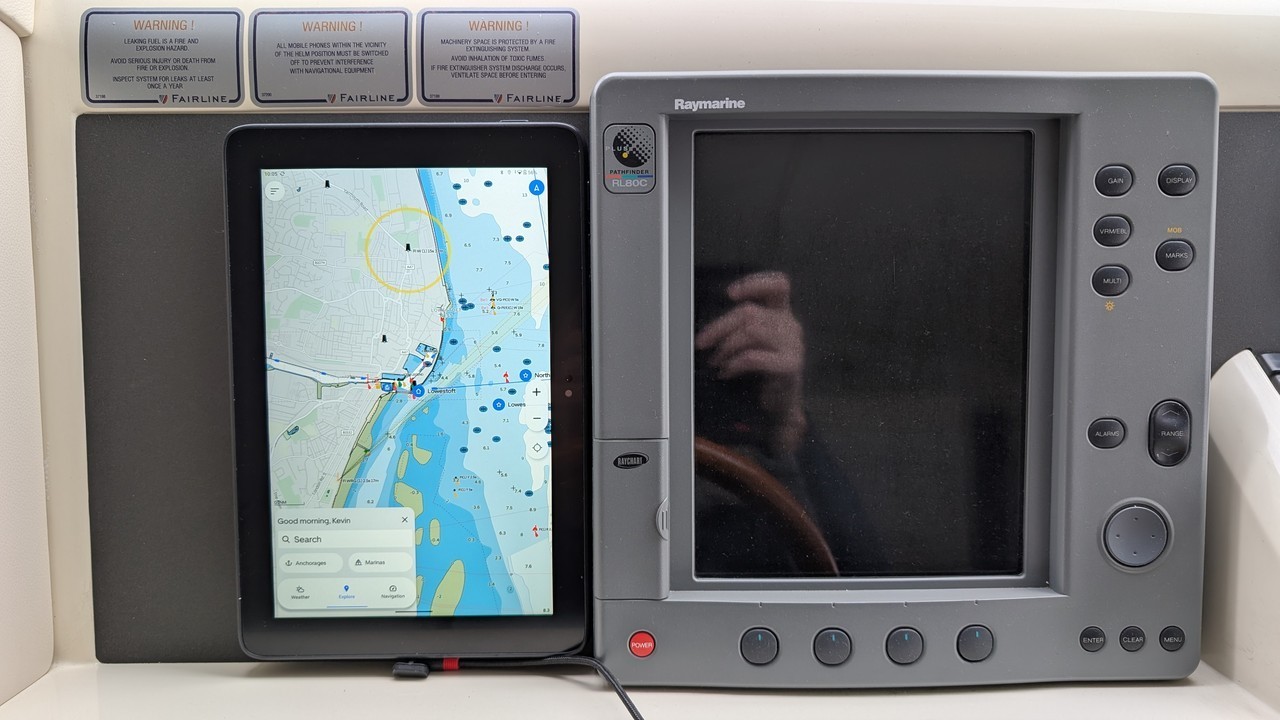
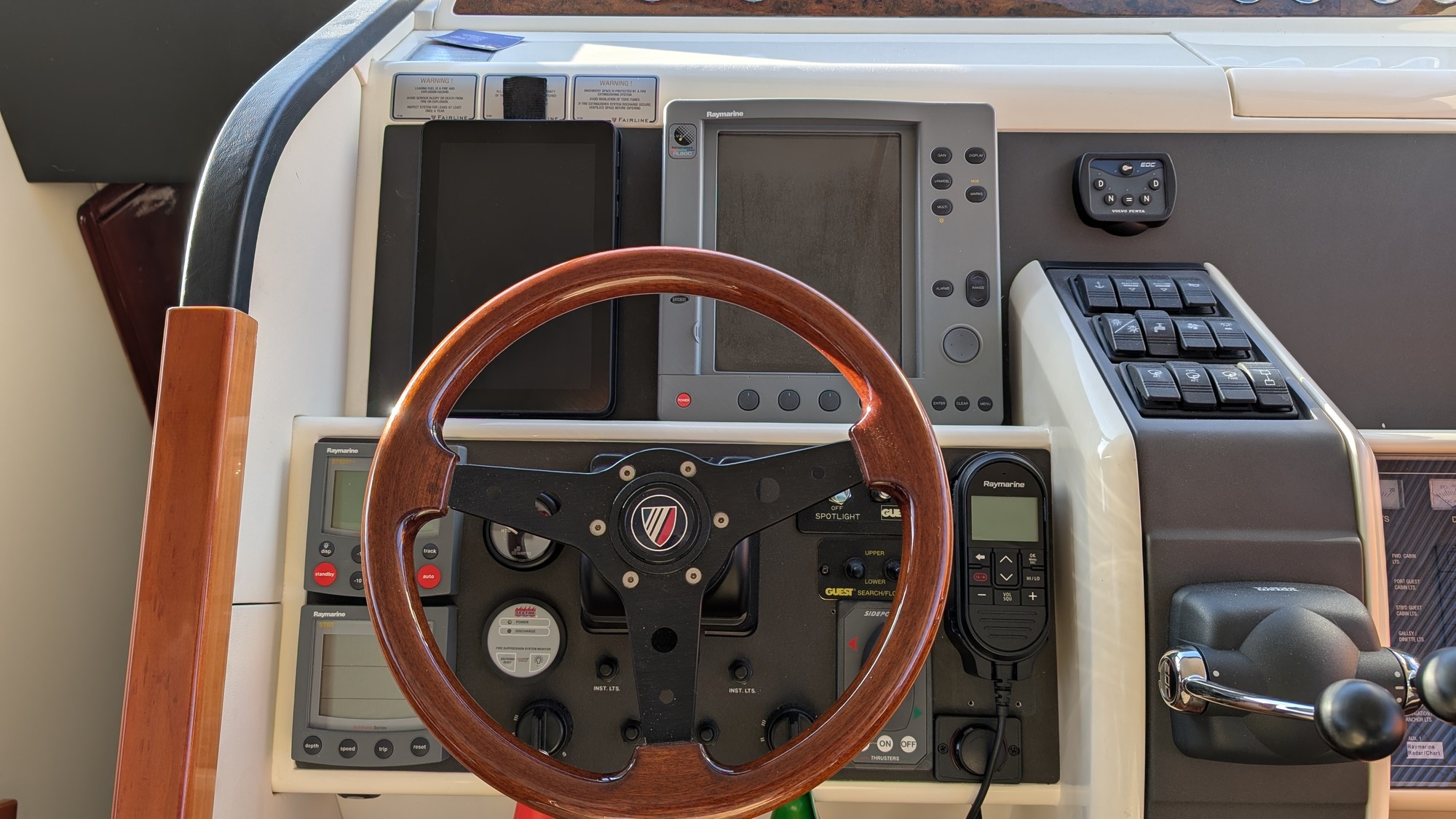
The Orca Core gets its power from the SeaTalkNG Adapter. It's important to note that the SeaTalkNG adapter must not receive power from the autopilot SeaTalk port. This just means not connecting the red wire of the SeaTalkNG-SeaTalk1 cable to the autopilot port. At this point, I verified everything was working as expected, before installing the top mount at the upper helm. To power the charging station, I connected in to the 12V socket circuit using splicing connectors. I have found these reliable and easy to use in the past, and I particularly like the fact that they easily secure different sizes of wire. The mount supplied has more holes than required for attachment, which is handy to pass the power lead through, keeping things neat and tidy. It's very versatile and can easily be moved back and forwards, as well as rotated for portrait or landscape positions. I made one addition to this circuit; adding a switch so that the wireless charging mount does not have to be on when the 12V sockets are. Downstairs, I initially didn't fit another charging mount. The system is very usable with the Display 2 just sitting beside the old Raymarine unit. I could still charge it using a USB cable as shown below: However, I eventually decided it would be best to add a surface mount here as well; it is more secure and just looks better, as well as simplifying the charging setup: I connected the charging mount to the 12V sockets circuit via a switch, in a similar way to the upper helm. And that was it! Part 4 describes my initial use, but I always intended to add an AIS unit as well, so please do read Part 3 as well. |  Kevin Millican